

Seedream AI image generator
Write a prompt or upload a photo, pick Seedream 5 Pro, Lite or Flash, and see what the image costs before you run it. New accounts start with 10 free credits.
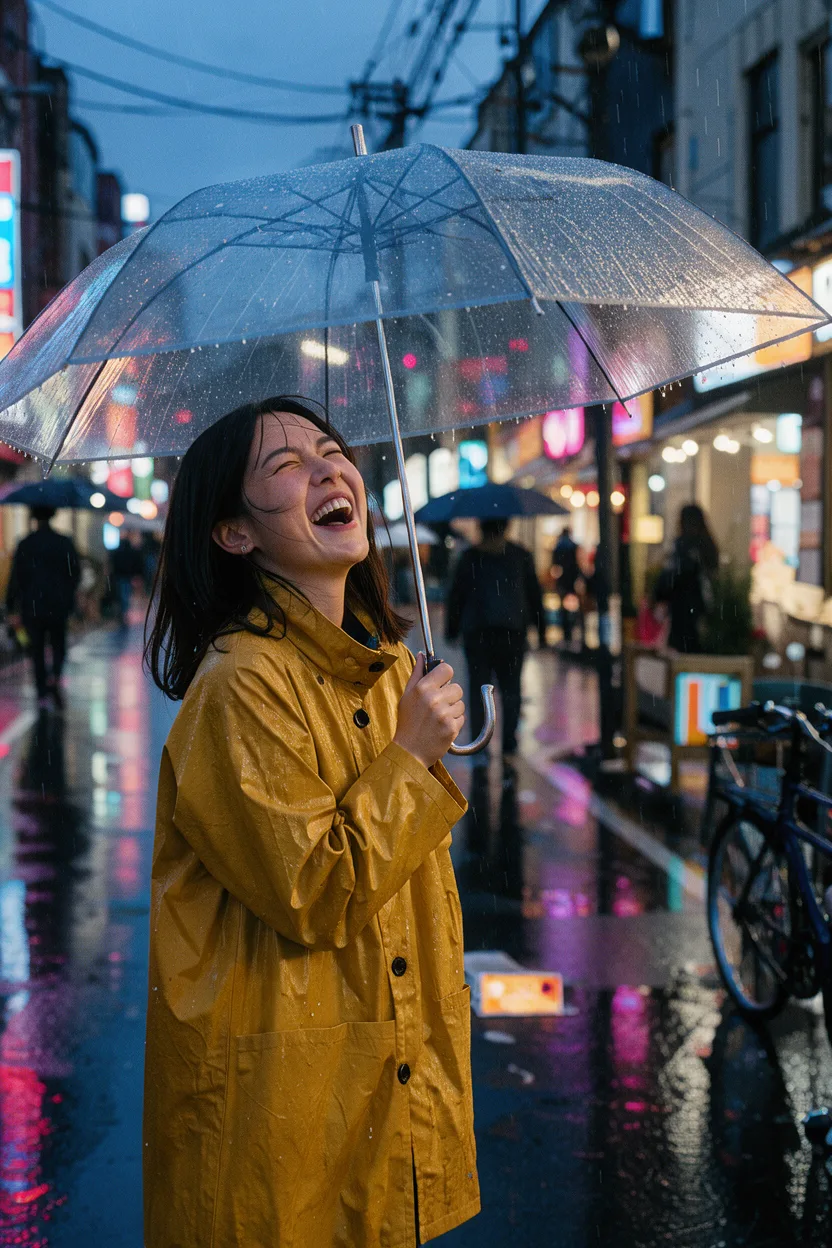
Candid street portrait of a young woman in a mustard raincoat laughing under a clear umbrella on a rainy Tokyo side street at dusk, neon reflections on wet asphalt, shallow depth of field, 35mm film look.
Seedream 5 examples you can run again
Each image is the first try Seedream 5 Pro gave at 1K, not picked from many runs, shown with its exact prompt. Copy a prompt, or open it in the text to image tool with Pro already selected and change one detail.
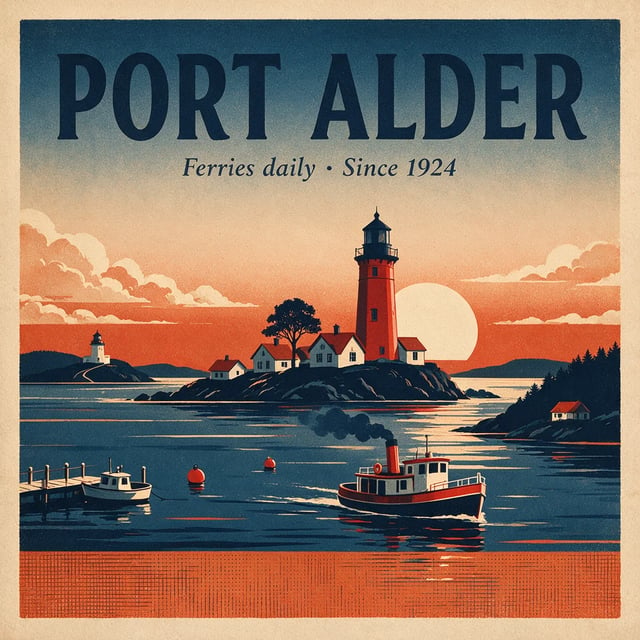
Seedream 5 Pro · 1K A travel poster with every word spelled right
Prompt
A vintage travel poster for a coastal town called "Port Alder". Big headline "PORT ALDER", a smaller line "Ferries daily · Since 1924", a lighthouse at sunset, flat screen-print style.
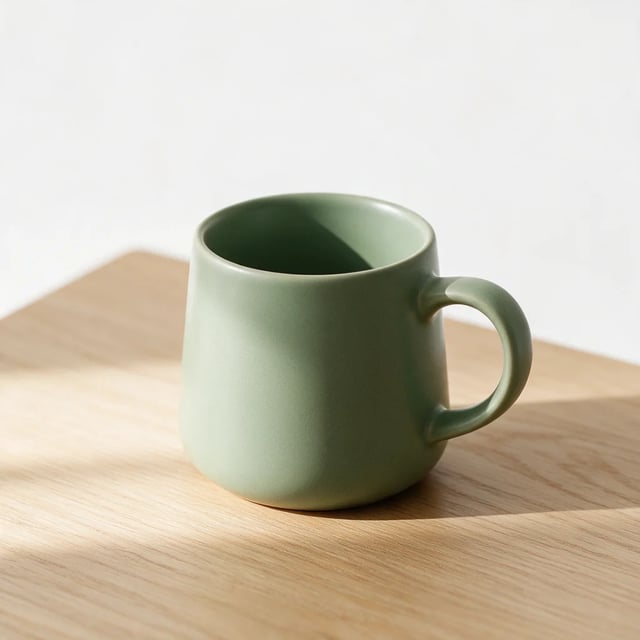
Seedream 5 Pro · 1K A product photo from one sentence
Prompt
Studio product photo of a matte ceramic coffee mug in sage green on a light oak table, soft window light from the left, plain white background, no logos.
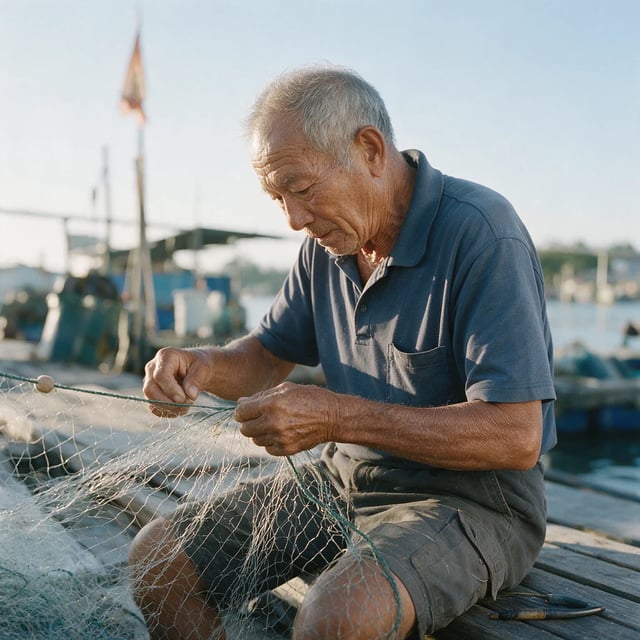
Seedream 5 Pro · 1K A candid portrait on a fishing dock
Prompt
A candid photo of an elderly fisherman mending a net on a wooden dock, early morning light, shallow depth of field, shot on a 50mm lens.
Same prompt, Seedream 5 Pro and Lite side by side
Text inside an image is where Seedream versions differ most, so we gave Pro and Lite the same two text-heavy prompts, each at its lowest size. Zoom in on the small print before you compare anything else.
A recipe card for "Lemon Ricotta Pancakes" with the title, five numbered ingredients and three short steps, small hand-drawn lemons in the corners, cream paper background.
Read the ingredient list and the three steps word by word.
Seedream 5 Pro
1KEvery word is spelled right. The steps mention milk and vanilla that the ingredient list leaves out, and Pro added a couple of lines nobody asked for.
Seedream 5 Lite
2KThe layout is clean, but the small text has typos such as "eages", "eegs" and "por side". Fine for a mood board, not for a card you will print.
An infographic poster titled "How Coffee Gets to Your Cup" with five numbered steps: Grow, Pick, Dry, Roast, Brew. A small icon and a one-line caption under each step, clean flat design, cream background.
Check the five step names and the caption under each one.
Seedream 5 Pro
1KAll five steps and captions are right, drawn as detailed illustrations rather than the flat icons the prompt asked for.
Seedream 5 Lite
2KAll five steps and captions are right, in the flat icon style the prompt asked for. Four step names have a stray dash after them.
Edit a photo with Seedream and keep the subject
Upload a photo, say what should change and what must stay, and Seedream rebuilds the rest. Drag the slider to compare each original with the result.
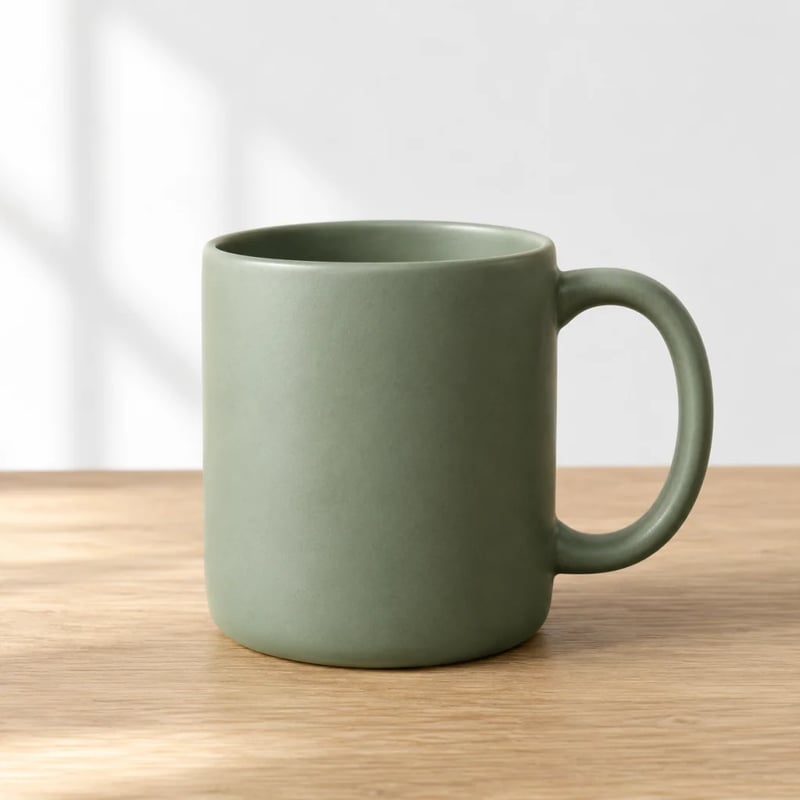
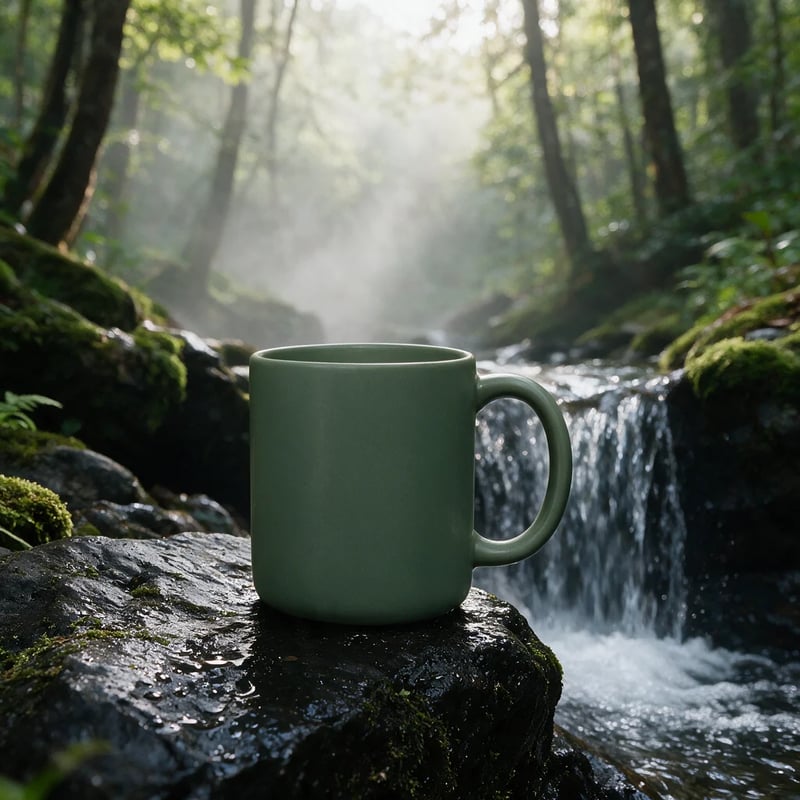
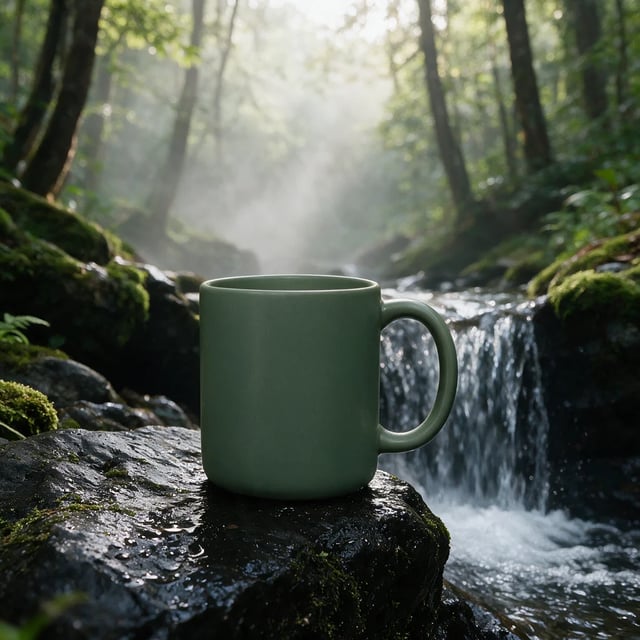
Seedream 5 Pro, prompt: "Keep the mug exactly as it is. Place it on a wet black rock beside a small waterfall, with morning mist in the background." The shape and the handle stayed the same, the green came out a shade darker and the rock came out mossy rather than black, so check colors and details before you use a result in a listing.
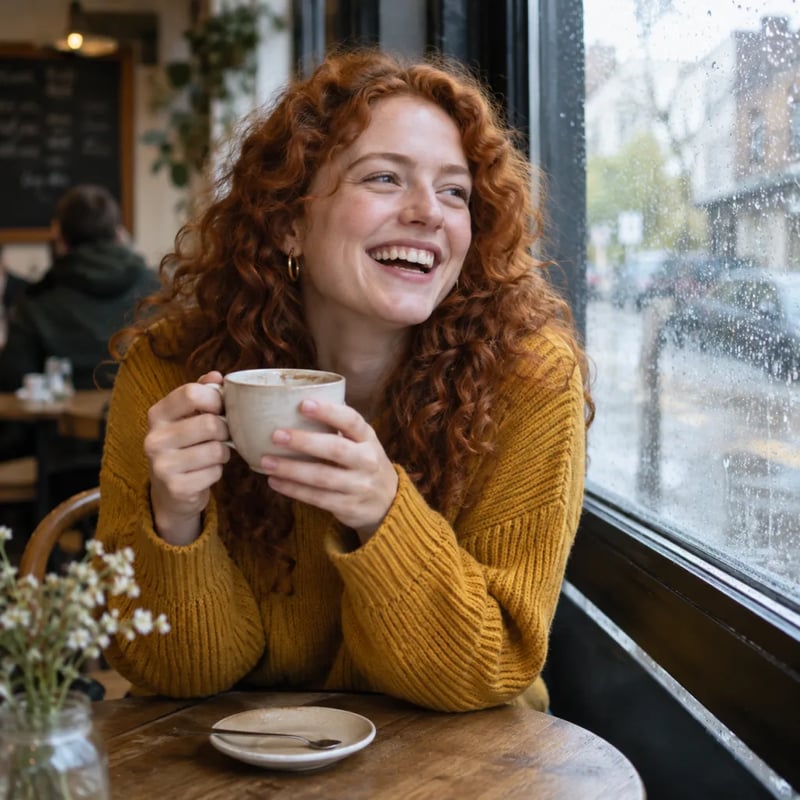
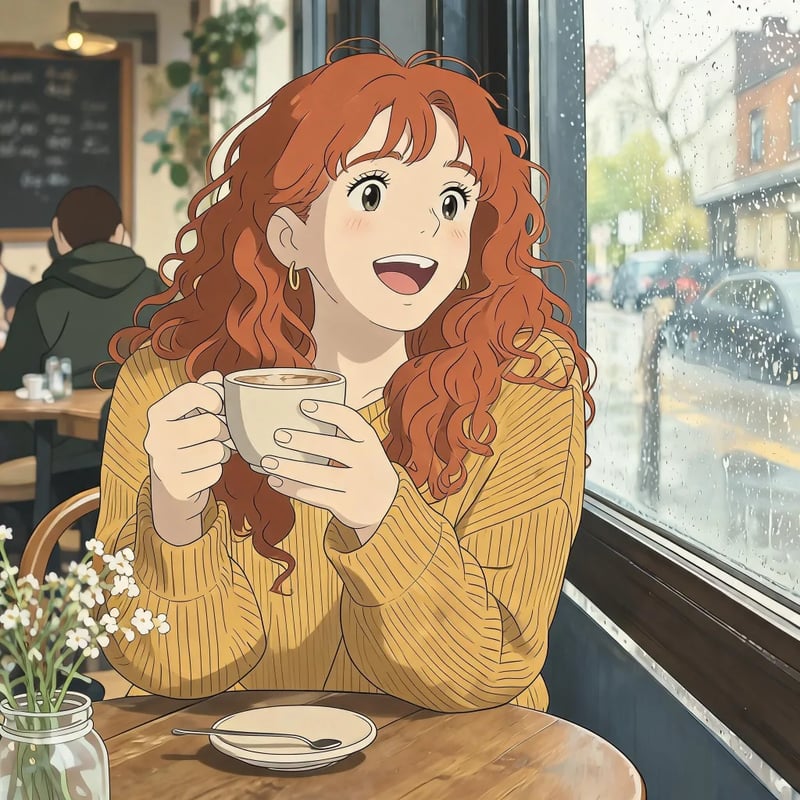
Seedream 5 Lite at 2K, prompt: "Turn this photo into a hand-drawn anime film still, with a soft painted background. Keep her face, curly red hair, yellow sweater and the coffee cup." The hair, sweater and cup carried over; the face came out rounder and younger, with bangs she does not have. Name the features you want kept, as this prompt does, and run it again if one drifts.
What is Seedream?
Seedream is ByteDance's family of AI image models, built by its Seed research team. One Seedream model both creates images from a written prompt and edits images you upload, so the same tool handles a new poster and a changed background. The current generation is Seedream 5.0, with Pro for the most careful text and layout and Lite for everyday images up to 3K. This site also runs Seedream 5 Flash, the lowest-cost version, for drafts.
SeedreamX is an independent Seedream AI image generator and editor, not ByteDance's own site. It runs these Seedream 5 versions in your browser, so you do not need an app, an API key or code. You buy credits, see the cost of each image before you run it, and find what you make in your library.
Seedream 5 Pro vs Lite vs Flash: which one to use
All three take a prompt or uploaded images. They differ in how carefully they handle text, how large the file can be and what one image costs.
| DefaultSeedream 5 LiteEveryday imagesUse Seedream 5 Lite | Seedream 5 ProText and layoutUse Seedream 5 Pro | Seedream 5 FlashLow-cost draftsUse Seedream 5 Flash | |
|---|---|---|---|
| Choose it for | Social images, product shots, styles and large 3K files | Posters, recipe cards, infographics and any text that must be exactly right | Trying many ideas cheaply before you pick one |
| Sizes | 2K or 3K | 1K or 2K | 1K or 2K |
| Credits per image | 6 at 2K or 3K | 9 at 1K, 20 at 2K | 3 at 1K or 2K |
| Images you can upload for an edit | Up to 14 | Up to 10 | Up to 10 |
| Shapes | 8, from square to 21:9 | 15, from 1:3 tall to 3:1 wide plus 21:9 | 8, from square to 21:9 |
Start from a prompt or a photo
Each tool opens the Seedream generator with the right inputs ready.
How to use Seedream AI
- 1
Write a prompt or add a photo
Describe what you want, including any words that should appear in the image. To edit, upload one or more photos and say what to change and what to keep.
- 2
Pick a version, size and shape
Choose Seedream 5 Lite, Pro or Flash, then the size and the aspect ratio. The generator shows the credit cost before you run it.
- 3
Check the details, then keep or rerun
Read any text in the image and look at faces and products closely. Download the result, or change one line of the prompt and run it again.
Seedream pricing
Plans add credits to your account, and each image spends credits by version and size. The $19.90 monthly plan includes 1,000 credits; at 6 credits per Seedream 5 Lite image, that is over 150 images.
Up to 333 images
- Up to 333 images
- All models, including Premium
Up to 833 images
- Up to 833 images
- All models, including Premium
Up to 2,500 images
- Up to 2,500 images
- All models, including Premium
· No card required
Failed runs are refunded automatically · Cancel anytime
Seedream questions
You can try it free. New accounts get 10 credits, enough for a first Seedream 5 Lite image at 2K, a Seedream 5 Pro image at 1K, or a few Seedream 5 Flash images at 1K. Larger sizes and more images use paid credits from a plan or a credit pack.
Seedream is developed by the Seed team at ByteDance, the technology company founded in Beijing. This site is not ByteDance's own: SeedreamX is an independent studio that runs Seedream 5 models in your browser and charges per image.
Seedream 5 Pro and Seedream 5 Lite from the Seedream 5.0 generation, plus Seedream 5 Flash. Older versions such as Seedream 4.0 and 4.5 are not offered.
No. The largest size here is 3K, with Seedream 5 Lite: a square image comes out at 3072 by 3072 pixels. Seedream 5 Pro and Seedream 5 Flash go up to 2K. For a large print with little text, use Lite at 3K; when the print has small text, use Pro at 2K and read every word before you send it.
Yes. Until you buy a plan or a credit pack, your images carry a watermark. Once you have paid, new images come without one, and the images you made earlier lose it too.
Yes, and that is where the versions differ. In our recipe card test, Seedream 5 Pro spelled every word right while Seedream 5 Lite made typos in the small print. Put the exact words in quotes in your prompt, keep long passages short, and use Pro when the text has to be perfect.
Nano Banana 2.1, Nano Banana Pro and Nano Banana 2 Lite are in the same generator, so you can run one prompt on both families and compare. In our October 2026 test against Nano Banana 2 and two other image models, Seedream 5 Lite gave the strongest poster style and the best photo edit. For text-heavy designs, try Seedream 5 Pro first.
Make your first Seedream image
Write a prompt or upload a photo, and start with free credits.